In this guide
Route a problem to the right kind of expertise and prepare a short, privacy-conscious description that someone can act on.
Start with the responsibility, not the last screen
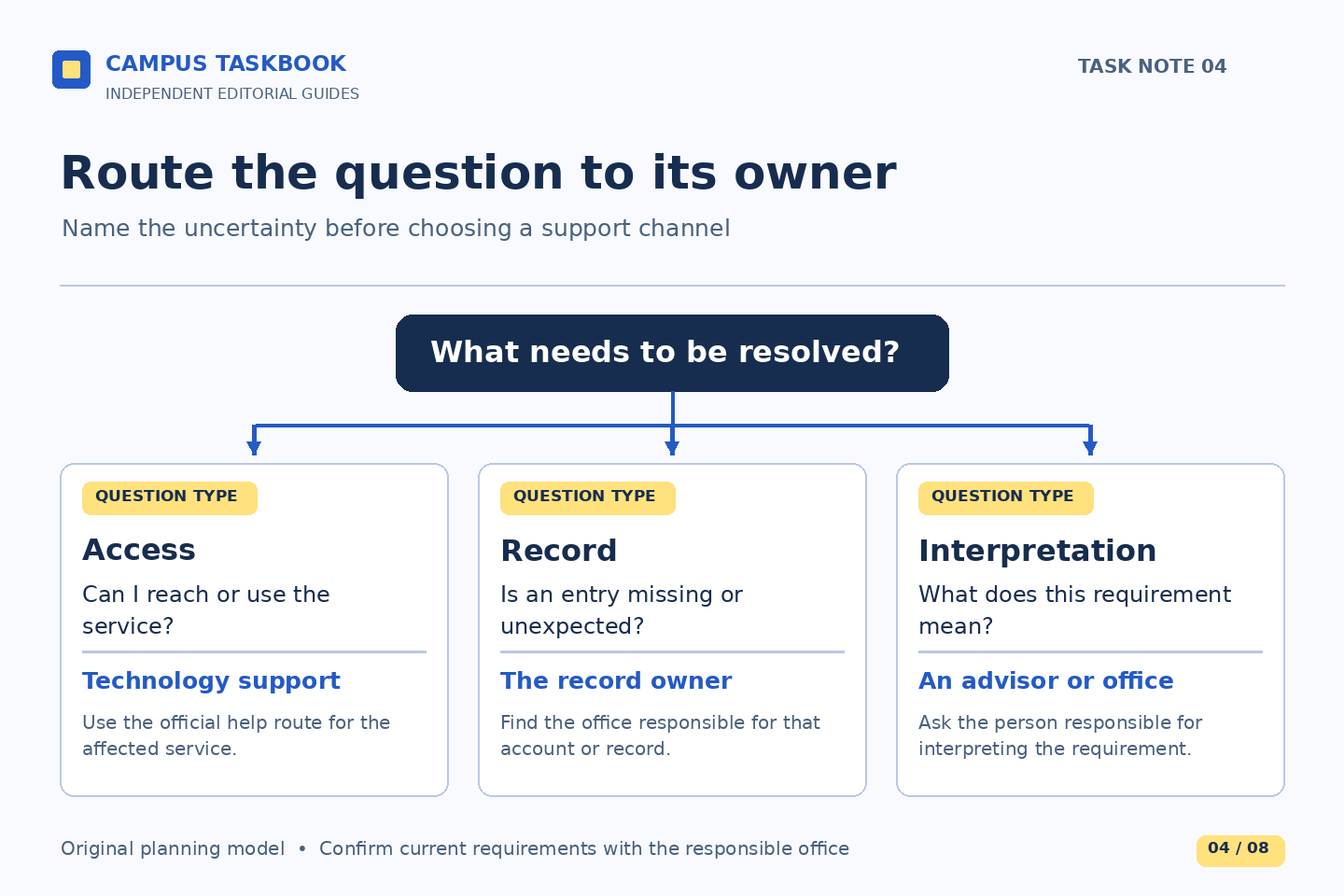
The last application you touched is not always the owner of the problem. A billing question may appear after you enter a portal; a research question may arise while using a laptop; a housing question may be displayed on a web form. The useful routing question is: who can answer the particular uncertainty or change the relevant record? Naming the screen is useful evidence, but it should not replace naming the task.
This guide covers ordinary administrative, technical, research, and residential questions. It is not an emergency channel. Campus Taskbook is independent of Boston College and cannot open tickets, inspect accounts, or speak for an office. The official pages linked below identify actual help routes. Check them when you need assistance, particularly for current availability, specialist services, and instructions that apply to your school or situation.
Use four practical starting points
For questions about a student account or academic administrative record, start with the relevant Student Services guidance and contact route. Its published contact page covers financial aid, student accounts, registrar functions, and other student support responsibilities. If the issue is interpretation of a requirement, identify that explicitly rather than describing only a problem with the screen on which you saw it.
For technical access, software, or network difficulties, BC’s ITS support page offers several assistance channels. For locating research material, choosing an appropriate resource, or developing a search, the Libraries site offers librarian help. Residential Life’s contact page separates areas such as room placement, hall transitions, maintenance, and access matters. Those categories are a routing aid, not a guarantee that the first person you contact will decide the issue.
Ask, “Is this the right service for this problem?” Include enough context for a meaningful answer. Prefer a specialist route on the current official page over a staff name from an old message.
Write a five-part problem description
A clear description contains your task, the last successful step, the observed problem, when it happened, and the answer you need. Add the device or browser only when it matters to the issue. State whether the problem is repeatable if you have already observed it more than once. Do not perform risky changes or repeat consequential submissions merely to make the report more complete.
Illustrative technical report: “I am trying to open the service named in the official instructions. The portal loads, but the service page displays an error before any record appears. I observed this this afternoon using my usual browser. Is this an access issue, and what information would help you investigate?” A precise error phrase may help, provided it contains no private token or identifier.
Illustrative records question: “I can view the current record, but I do not understand how one entry is categorized for the term shown. Which office should explain that category?” This second message does not claim a technical fault. Its goal is to reach someone who can interpret the record.
Send the smallest useful evidence package
Before sending a screenshot, ask what the recipient needs to see. A full desktop can expose other tabs, private messages, a student number, financial amounts, or someone else’s information. Prefer a written description or a carefully limited image when that will answer the question. Never post passwords, verification codes, recovery codes, or full identity documents in a public forum or send them to this publication.
If an official office needs personal information to locate a record, follow its instructions through the appropriate private channel. Attaching everything can obscure the issue and disclose irrelevant information.
For a library question, a citation, title, search terms, and the point where access or discovery failed may be useful. For a residential question, describe the category and practical effect without including roommate information that is unnecessary. For technology help, an observation about one affected service is more informative than an unsupported claim that the whole campus system is down.
Handle mixed problems without creating a relay race
Some situations involve two responsibilities. A student cannot access a library resource and also needs help identifying a suitable alternative for an assignment. A resident sees a housing record they do not understand and encounters a page error. Separate the questions in your own notes before contacting anyone: one concerns access; the other concerns the underlying task. This prevents an answer to one part from being mistaken for resolution of both.
Illustrative research case: the student tells a librarian which item they need and describes the access failure, then follows any official technical referral. The student does not assume a publisher error is a campus password problem. If another team becomes involved, carry forward the factual observations and any case reference privately. Avoid repeatedly forwarding the same sensitive attachments to every possible office.
When referred, ask what the next office needs and what remains with the original office. A referral clarifies responsibility; it does not establish the requested outcome. Keep a dated log rather than reconstructing the sequence from memory.
Follow up with new information and a clear endpoint
Define the endpoint: restored access, a record explanation, a research approach, or clarification of a residential step. Compare replies with that endpoint. An acknowledgment may confirm receipt without answering the question. An explanation may settle the issue without changing a record. Keep those states distinct.
For a follow-up, retain the original context and add what changed: a newly visible message, a relevant approaching deadline, or the result of an instructed check. Do not invent urgency or promise that an office will respond within a time the current source does not establish. The public pages reviewed on October 1, 2026 support the routing categories here, not any individual outcome, service-level guarantee, or live availability.
Build a task-specific preparation brief with the Task compass.
Read next: When a university message pressures you to act, or Ask what a document must prove before requesting it.